
How to get featured on the App Store: nominations, timing, and what editors want
Apple takes featuring requests directly through App Store Connect – here’s exactly how the nominations form works, when to file it, and what editors pick.
If you want to get featured on the App Store, Apple gives developers a way to pitch directly to their editorial team through App Store Connect – if you aren’t using it already, you need to start.
The form is free for everyone and gives you a direct route to Apple’s editorial team, so this guide covers it all: how App Store featuring nominations work, what Apple’s editors look for, when to submit, how to give your app the best chance of being noticed, and also what developers who get featured repeatedly say they do.
Here’s the plan:
- What being featured is actually worth
- The nominations form, step by step
- What editors actually want
- Timing: submit well in advance
- Beyond the form: how developers really get noticed
- What happens if you’re picked
What being featured is actually worth
Is it nice to be App of the Day? Absolutely yes, and I can say that without any reservation. But before you start dreaming about early retirement, you should take a look at what featuring delivers in 2026.
I asked Michael Flarup – the designer behind more famous app icons than just about anyone – for his thoughts, and he didn’t sugarcoat it:
“Getting your app featured by Apple in the early days meant getting hundreds of thousands or even millions of downloads. These days the featuring power of the App Store has somewhat waned. The best features today might bring tens of thousands of downloads, a far cry from the millions they once could. Many successful apps and games have never been featured by Apple and are successful nonetheless.”
That’s not because Apple’s influence shrank at all – I think it’s clear to everyone the App Store has grown into a destination in its own right. Instead, it’s that the featured slots are often crowded with big hitters.
To see what I mean, try opening your Today tab right now and count how far you scroll before you hit App of the Day: when I last did this I passed Apple Arcade, Amazon Prime, ChatGPT, LinkedIn, Call of Duty, and three more blocks of featured content first – and then App of the Day was Procreate Pocket, an app that’s seven years old and still getting featured.
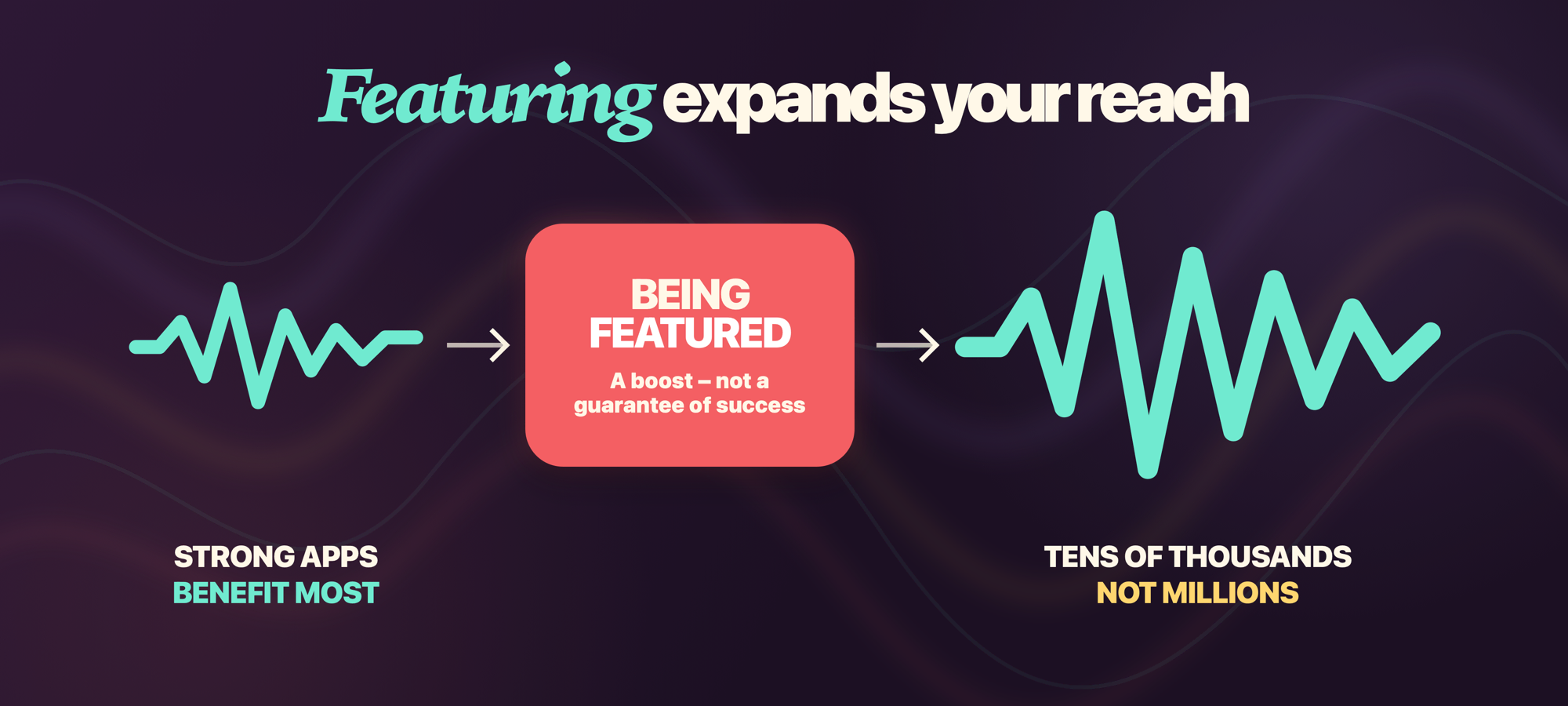
So, stick with Michael’s estimate and you won’t be disappointed – think tens of thousands of downloads rather than millions, which in turn means featuring works best to boost apps that are already well positioned.
It also helps to know that “featured” isn’t one thing. Apple’s editorial placements include Today stories and collections, App of the Day and Game of the Day, themed lists, pre-order features, in-app event features, and Editors’ Choice at the top of apps. As of June 2026, game developers can even nominate an in-game offer or limited-time discount for editorial consideration in the Apple Games app.
Every one of those slots is fed, at least partly, by the same form.
The nominations form, step by step
If it’s your first time filling the form in, you’ll be pleased to know the actual mechanism is simple enough using App Store Connect:
- Go to Apps, select your app, and click Nominations under Featuring in the sidebar.
- Click + and choose Create Nomination.
- Give it a memorable name – this is for you to make multiple nominations easier to manage.
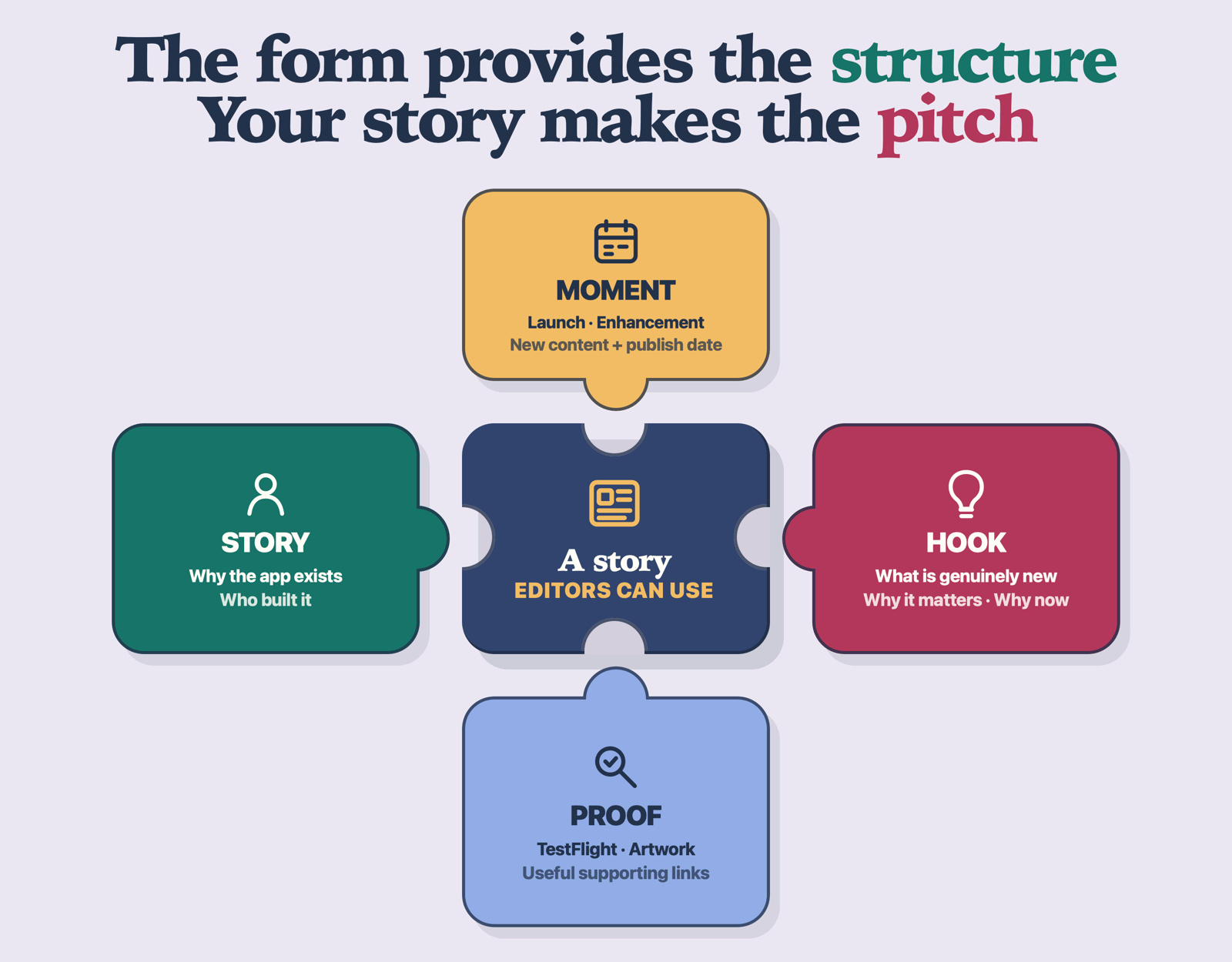
- Pick the type: App Launch (a new app or pre-order), App Enhancements (a significant update), or New Content (new content, offers, or events in an existing app).
- Write the description, using the criteria in the next section.
- Choose a publish date or date range for when your launch or update goes live.
- Fill in the optional fields: related apps from your account, supported platforms, countries and regions, localizations, any approved in-app events, and up to 5 supplemental URLs – documents, artwork, and yes, TestFlight links.
- Fill in the “helpful details” section: accessibility work, anything notable about your team, and how much of a priority this release is for you.
- Click Submit Nomination.
You don’t need to finish nominations all at once, because they get saved as a draft as you work. So, you can start writing a nomination today, then return to polish it over a week or so. In fact, even after submitting, you can still edit everything except the nomination type and related apps, so if your release date slips it doesn’t mean starting again.
Those supplemental URLs help because they let an editor see the work for themselves instead of relying on your description alone. Apple lets you add up to five of them, including a TestFlight link, so try to make them count – provide a build they can try out themselves, and maybe a 30-second video showing something quickly.
What editors actually want
Apple actually tells us what its editors look for in apps, and weirdly few developers seem to have actually read it. On its “getting featured” page, Apple lists the criteria for apps:
- User experience – cohesive, efficient, genuinely valuable.
- UI design – usable, beautiful, intuitive.
- Innovation – new technologies solving real problems.
- Uniqueness – a fresh approach, or defining a new genre.
- Accessibility – well-integrated accessibility features. (Apple genuinely cares about this, and I hope you do too!)
- Localization – quality support for multiple languages.
- Product page – compelling screenshots, previews, and description, plus positive ratings.
Games get extra criteria on top: gameplay design, art and animation, controls, story and characters, replayability, sound design, technical performance, and overall value.
When it’s written down so plainly, I hope you can see that some of your “work to get featured” is really just app quality work you should do anyway, and some of it – localization, accessibility, your product page – is marketing work that pays off whether or not an editor ever looks at you. There is no wasted effort on that list.
But the criteria just gets you in the door – there are lots of great apps out there, so why should they care about yours?
What editors seem to really respond to is your story. Why did you build this? To be precise, why did you build this? What happened in your life that made this app exist? Editors are journalists, publishing daily stories for the biggest storefront on Earth, and they need material.
For example, writing “version 2.0 has a redesigned settings screen” is almost certainly going to be ignored, whereas saying “I built this app for my dad after he had a stroke, and the new update adds VoiceOver support he helped me test” gives the Apple team a story they can actually run with.
This story angle is also why the form asks about your team: if you’re a solo developer, a student, or part of an inclusive team, you should say so plainly, because editors actively build collections around developer stories. (And they can’t feature a story you never told them.)
One more thing: nominate selectively. That means one or two significant nominations a year is about right – certainly I would much rather send a small number with a real story than try to turn every point release into a pitch.
Tip: I’m writing this in early August, so now is absolutely the right time to be submitting your app’s editorial nomination for iOS 27. Try to focus on Apple’s new stuff, which right now means supporting the new Siri AI integration, handling resizing devices, and the massively enhanced Foundation Models framework.
Timing: submit well in advance
Apple’s current nomination guidance doesn’t publish a minimum lead time, other than recommending “at least 3 weeks.” Treat that as the absolute minimum – it might be true on platforms with fewer app releases, but honestly I would double it to have any chance of success on iOS.
This is also where the editorial calendar becomes your friend, because editors don’t pick apps in a vacuum – they build themed collections around moments they already know are coming:
- OS launches. Every September, collections like “Great apps updated for iOS 27” need members. If your update adopts the new OS features on day one, you are exactly what that collection exists to showcase.
- New Apple tech and hardware. New frameworks and new devices naturally turn into stories, and stories need example apps to showcase. If you can adopt a shiny new API early, it becomes a clear editorial hook.
- Seasonal and cultural moments. Back to school, World Mental Health Day, Lunar New Year, fitness collections in January. If your app fits a moment, nominate for that moment – by name, in the description – six-plus weeks ahead.
Is any of this a guarantee? Nope. Nobody outside Apple knows how the editorial sausage factory works, and anyone who claims a guaranteed path to featuring is probably selling something.
Since we’re talking calendars: this deadline is exactly the kind of thing that evaporates in the chaos of a launch. Kickstart’s launch calendar starts a full 45 days before release day, and the featuring nomination sits in the early stretch precisely because it needs to happen in advance rather than being something to remember the week you ship.
Beyond the form: how developers really get noticed
The form is the foundation, but when you talk to developers who get featured repeatedly a second theme appears: human connection. Apple, more than any company I’ve seen in my years around this industry, runs on personal connections.
I asked Klemens Strasser from The Art of Fauna – featured many times over – how developers without contacts get on Apple’s radar:
“I think posting stuff on socials can still be quite helpful if you don’t have direct contacts. Especially if you build interesting stuff with new Apple technologies and make a bigger splash on social media – people from WWDR might see that because some of them are quite active there.”
WWDR is Apple’s Worldwide Developer Relations team – the folks who run WWDC, developer evangelism, and Apple’s developer events, and who have deep connections into App Store editorial.
These folks work pretty much all week to support, connect and promote developers, from huge companies like Meta down to one-person indies, and they are genuinely active on social media. So, if you’re doing exciting things with new Apple technologies you should shout about it publicly – you never know who’s listening.
Ryan McLeod, creator of the Apple Design Award-winning puzzle game Blackbox, gave me a tactic I’ve never seen written down anywhere else:
“Instead of trying to go straight to the top, connect with folks at WWDC sessions – especially the people working on the lesser-known APIs you’re using. Thank them and show them what you’ve built with their tools. Asking anyone at Apple directly for featuring is guaranteed not to work, but the developers at Apple are always excited to see how you are putting their hard work to use, and you never know what might happen from there.”
I can vouch for this: half the Swift and SwiftUI teams are on Mastodon and similar sites, and Apple engineers love seeing what you’ve built with their work – our apps are the reason they do that work, and Apple’s secrecy means they rarely hear from us. Notice the shape of Ryan’s advice, though: the ask kills it, but the thank-you opens doors, so show up grateful and interesting rather than transactional.
And don’t leave meeting Apple people to chance. Apple now runs developer events at more than 20 locations worldwide – check the events page for a full listing. These events are run by WWDR, with App Store editorial folks sometimes in the room too.
Getting face time matters more with Apple than you’d believe: there are developers Apple trusts so deeply that Apple contacts them – “we saw you’re working on a new app, would you like us to feature the pre-order?” That means they are featured before they even launch, but that trust was built one conversation at a time.
I get it: filling in a form to praise your own work, or walking up to Apple engineers to show off what I built, are both things that are really hard for some of us. It certainly doesn’t come naturally to me, so if you’re the ship-quietly-and-hope type, trust me: I get it. But one anonymous developer I know takes the opposite approach with total commitment: “I baked cookies last time I went in to try and make them remember me fondly.”
Sneaky? Yes! (But I love it.)
What happens if you’re picked
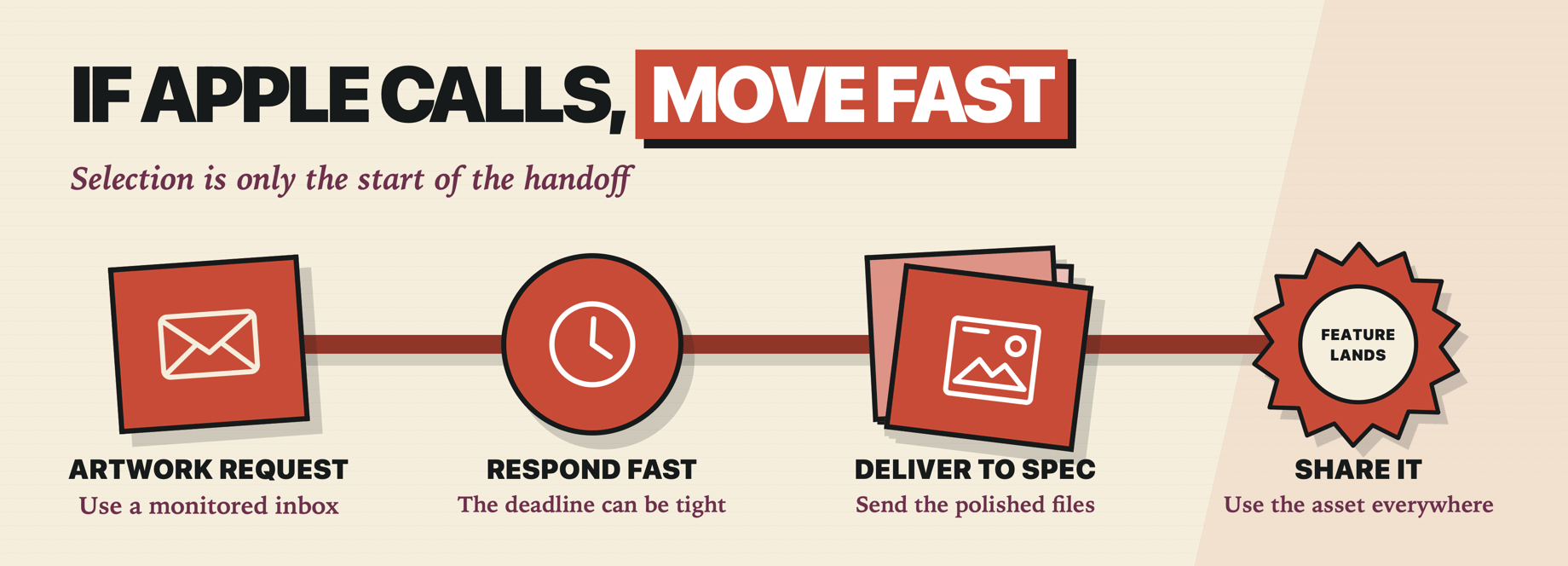
If Apple selects your app for certain placements, you’ll get an email request for promotional artwork, built to Apple’s promotional artwork specs – and it usually has a tight deadline. Get on the case fast: editorial calendars don’t wait, and an unanswered artwork request is a feature handed to the next app on the list. This is also a good reason to keep your App Store Connect emails pointed at an inbox somebody actually reads.
If the feature happens – and it is an if, because the email is only that they are considering you – Apple sends you shareable marketing assets for App of the Day and Game of the Day, translated into every language where your app is featured. Use them liberally, far and wide, because “featured by Apple” is social proof that keeps working long after the Today slot rotates.
Stop reading, start doing
- Open App Store Connect and read the Nominations form for your app, top to bottom, so you know what it asks for.
- Write your story in three sentences: why you built the app, what makes your team interesting, what’s genuinely new. If you can’t, that’s the real work.
- Look at your next significant release and count back six weeks – that’s a good nomination date to aim for.
- Find one Apple engineer whose API you use and thank them publicly, with a screenshot of what you built.
None of this guarantees a feature – but every step gives an editor better material with which to judge your work.