
The ultimate indie iOS app launch checklist
A complete app launch checklist for indie iOS developers – all the key tasks from 45 days before launch to 60 days after.
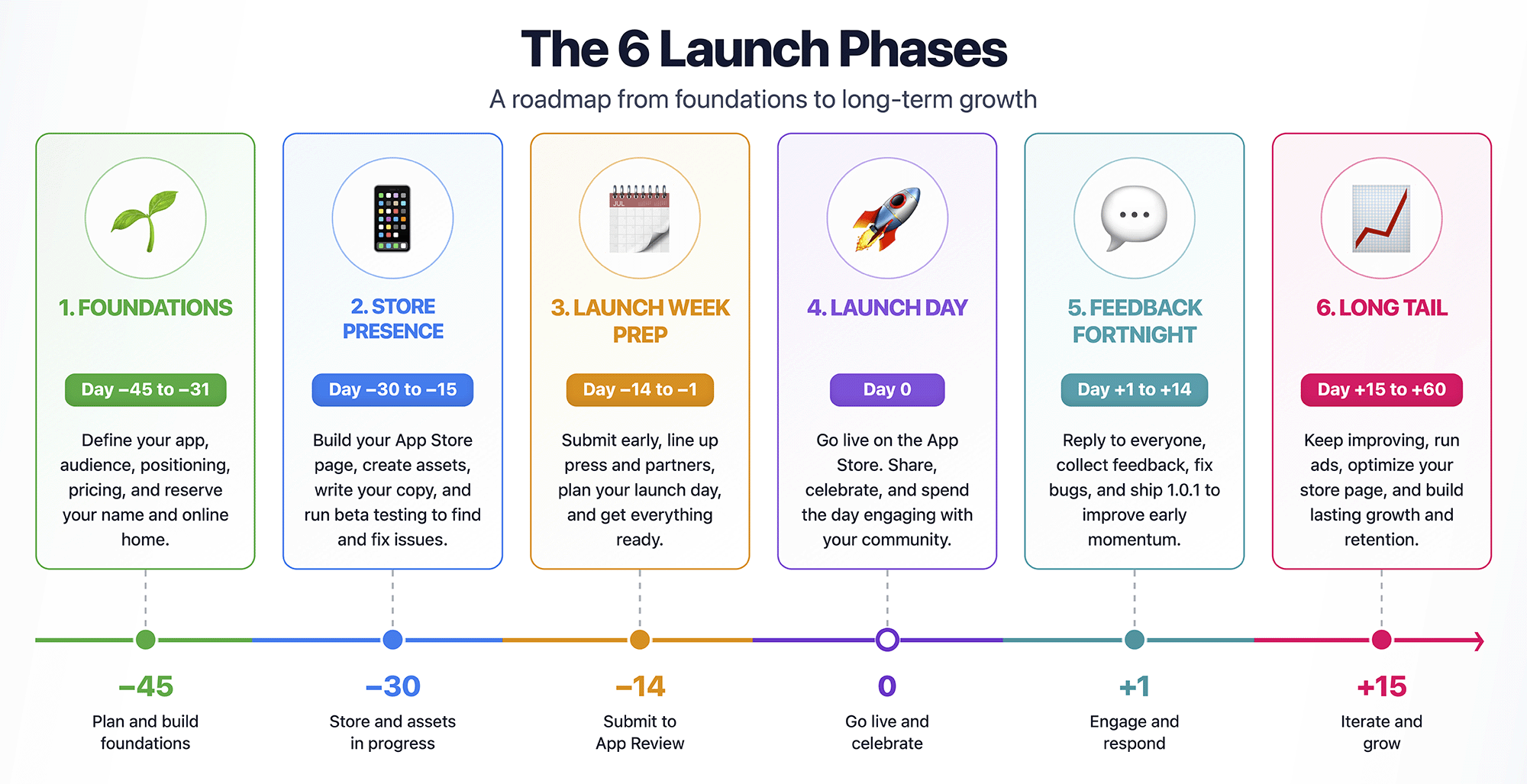
A great app launch takes over 100 calendar days: 45 before you ship, launch day itself, and up to 60 after. Most indie launches fail for a boring reason: all the marketing got crammed into day 0 – one excited post, one submission, and usually one long refresh of your analytics dashboard waiting for something to happen.
I know, because I’ve done exactly that – and more than once, too. My app was finished and I was tired after a long build, so “marketing” meant tweeting a link and hoping for the best. (And more often than not going back to Xcode to start my next side project idea, but that’s a different problem!)
It doesn’t work.
The fix is spreading the work across the weeks around launch day, so no single day tries to carry the whole thing.
This page is that plan, as a checklist you can actually follow: all the key tasks, with the day each one belongs on and the reason it earns its place.
Jump to a phase
- The six phases at a glance
- Day −45 to −31: foundations
- Day −30 to −15: store presence and beta
- Day −14 to −1: launch week prep
- Day 0: launch day
- Day +1 to +14: the feedback fortnight
- Day +15 to +60: the long tail
The six phases at a glance
If you remember nothing else, remember the shape:
- Day −45 to −31: Decide what you’re selling, who your audience is, who your competition are, and what your price will be.
- Day −30 to −15: Build your App Store page, your website, and your beta – all the things with lead times.
- Day −14 to −1: Continue submitting for review, line up press attention, and write the launch day before the launch day.
- Day 0: Press the button, and spend the whole day replying to people.
- Day +1 to +14: Fix, reply, and ship 1.0.1 – the launch is a window, not a single moment.
- Day +15 to +60: Updates, ads, and ASO – the part that decides whether the app gets a year two or joins the leagues of apps that almost literally disappear.
Why 45 days? Because that’s roughly the shortest runway where nothing has to be rushed: pre-orders need lead time, journalists need lead time, App Review needs lead time, and beta testers need time to actually find your bugs. You can compress it, but every week you cut comes out of one of those.
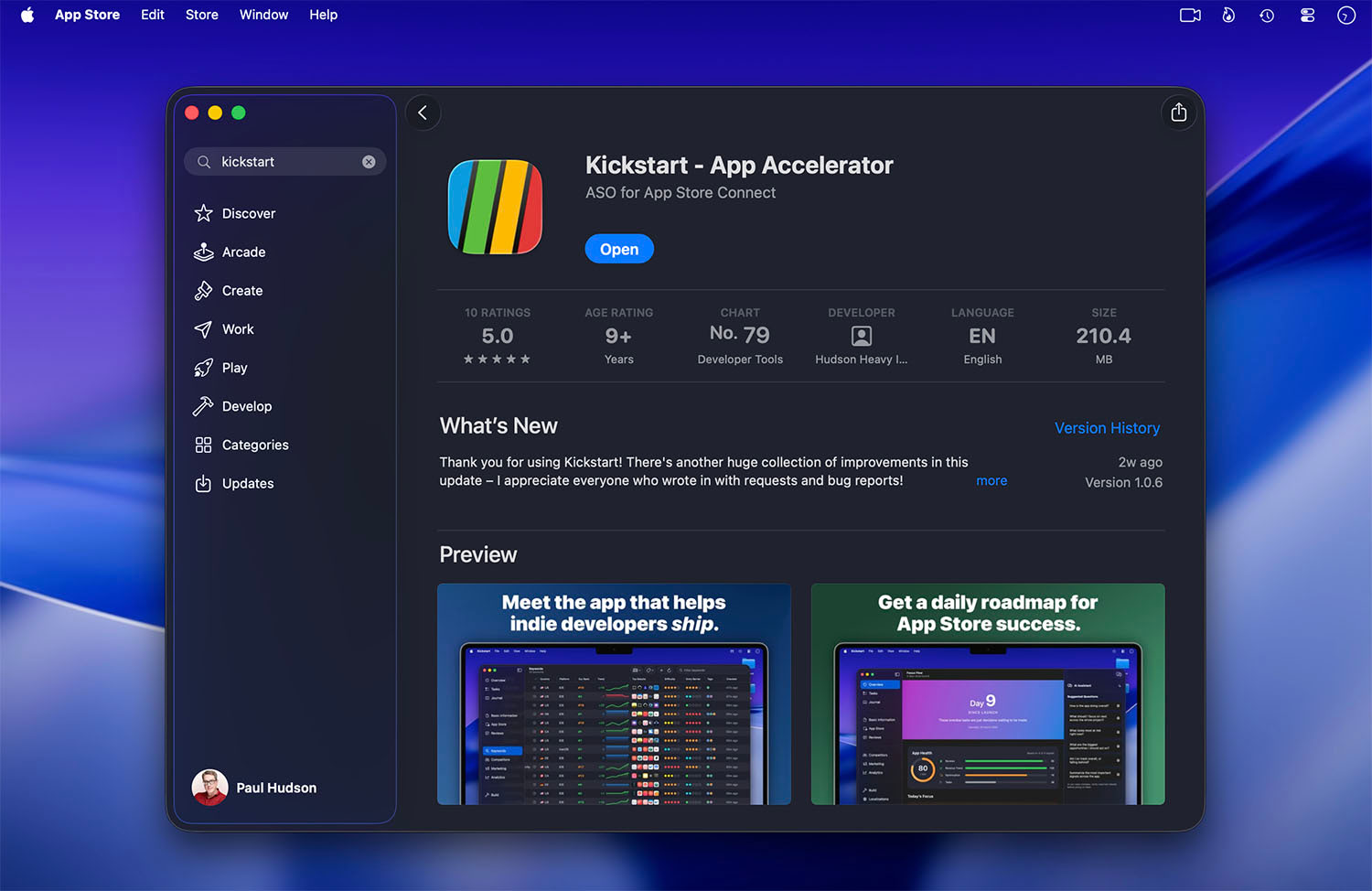
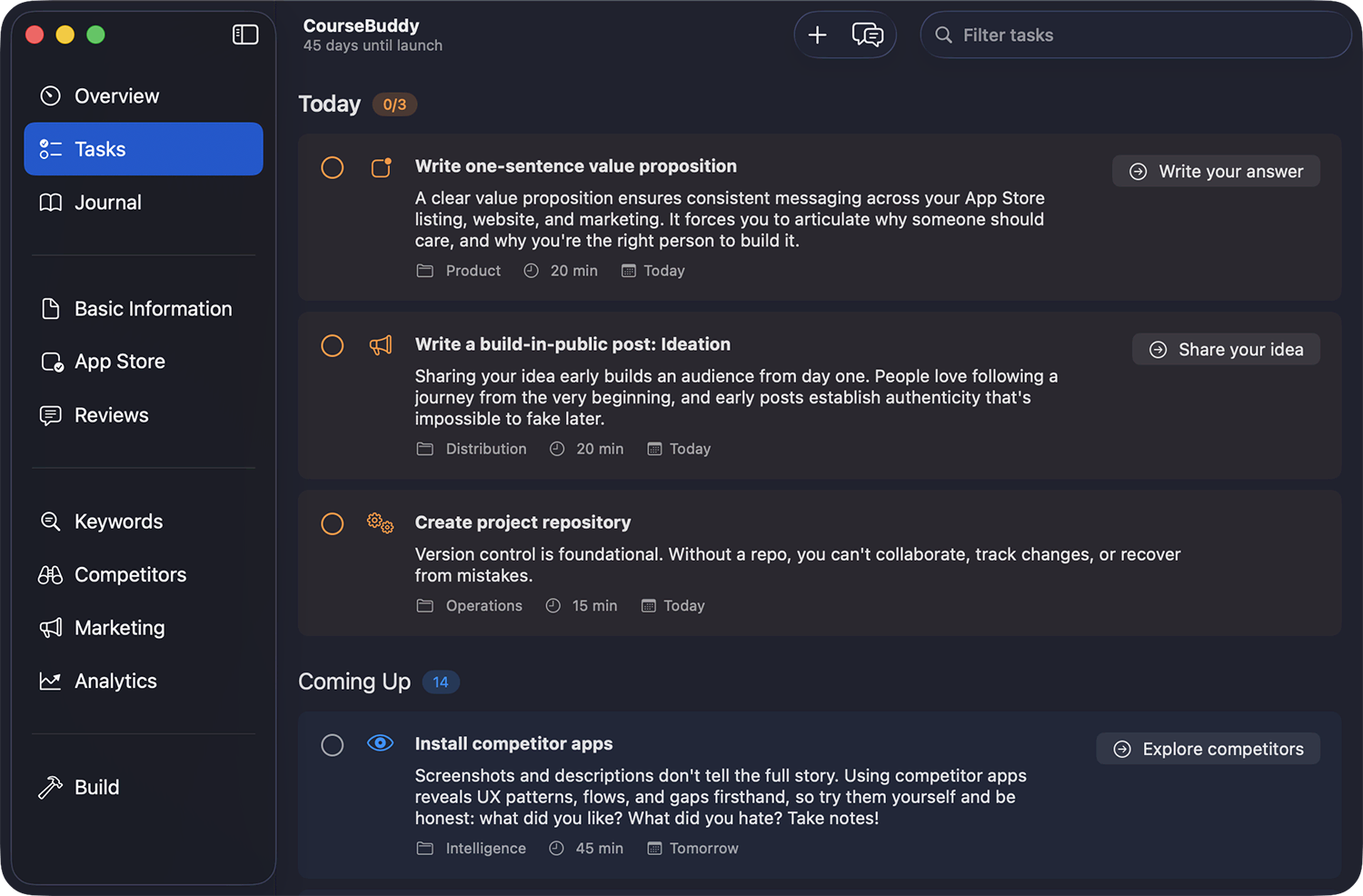
Full disclosure: this list is an edited, condensed version. The launch calendar I built into Kickstart runs longer and with more detail. But you don’t need my app to do this; a spreadsheet or a Notion board works fine, and the tasks below are the ones that really matter.
Day −45 to −31: Foundations
This phase is turning your raw ideas into something concrete. Every task here is cheap now but expensive later, so don’t skip any.
- Day −45: Write your one-sentence value proposition. Who it’s for, what it fixes, why it beats the current way. If this takes you a week to boil down, that’s a week well spent – every screenshot, description, and pitch downstream will be some sort of remix of this sentence.
- Day −44: Identify your competitors – direct and indirect. The indirect ones matter more than you think: a habit tracker doesn’t just compete with habit trackers, it competes with Notes, a paper journal, and doing nothing.
- Day −42: Pick your three core keywords. Search each one on a real device and study who ranks. Based on the App Store listings, which would you choose and why?
- Day −40: Decide your price and business model. Paid, freemium, or subscription, along with an actual number. (Everyone finds pricing genuinely hard – picking a number now and treating it as a hypothesis beats agonizing later.)
- Day −38: Create the App Store Connect record. This quietly reserves your app name, and name squatting is real. It takes ten minutes.
- Day −36: Buy the domain and put up a one-page site. Name, one sentence, one screenshot, an email signup box. Five things, nothing more – its only job is to exist before you need it.
- Day −35: Start building in public. One post about the problem you’re solving. (And to be clear, this is posting about the problem not the app. You’re looking for the first fifty people who care.)
By the end of this phase you know what you’re selling, who wants it, what it costs, and where it lives online. If you’ve done it well, everything after this is just following through…
Day −30 to −15: Store presence and beta
Now for the lead-time items. These are the tasks it’s easy to discover too late, usually at 11pm the night before submission.
 Tap for full-size (opens in a new tab)
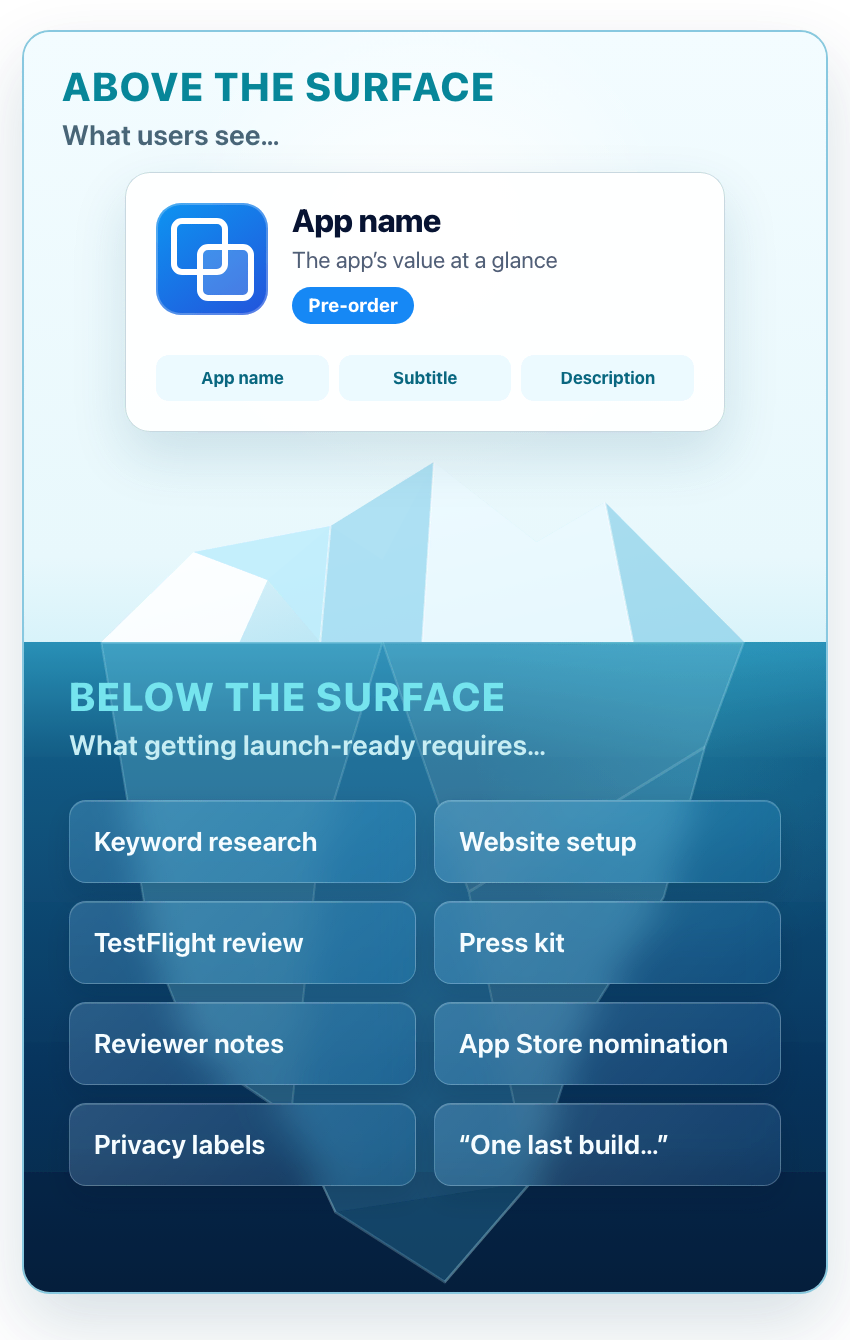
- Day −30: Write your App Store metadata. The name and subtitle are 30 characters each and do most of your selling; the keyword field is 100 characters the user never sees. Write them together so they don’t waste characters repeating each other.
- Day −28: Make your screenshots. You need 1320×2868 pixels for the 6.9″ iPhone, and 2064×2752 for the 13″ iPad if your app runs there – Apple scales these down for smaller devices, so those two sizes cover everything. You get up to ten per device, but the first three do almost all the work.
- Day −26: Write the description. Treat it as sales copy: lead with the outcome people get, and save the feature rundown for further down the page.
- Day −25: Submit your featuring nomination. App Store Connect has a Featuring Nominations section, and Apple explicitly asks developers to share launches, new content, and enhancements there. Apple recommends submitting at least three weeks before launch, so day −25 gives you a little margin. Start drafting earlier if you can – three to six weeks before launch is sensible.
- Day −25: Fill in the boring-but-blocking parts of App Store Connect. Privacy nutrition labels, age rating, support URL, and a demo account plus notes for the reviewer if needed. (Missing reviewer notes are a common, entirely avoidable cause of rejection.)
- Day −24: Start your external TestFlight beta. For external testing, the first build of your app that you add to a group must pass TestFlight App Review; later builds might not need a full review.
- Day −23: Submit to app review and prepare your pre-order. Apple lets a new app go up for pre-order 2 to 180 days before release, and everyone who pre-orders gets the app auto-downloaded on launch day – it’s the most underrated launch tool on the store. (Tip: Choose “Manually release this version” so approval doesn’t mean instant, accidental launch.)
- Day −21: Start sharing that pre-order link. In your build-in-public posts, your email list, your bio, and pretty much everywhere you can put it – that pre-order link helps to turn vague interest into a launch-day download while you sleep.
- Day −21: Collect three pieces of social proof. Whether that’s beta tester quotes, a nice reply by email, a screenshot of someone using it, or anything that shows people like the app. You’ll want these for launch posts and the store page, and you can’t manufacture them on day 0.
- Day −20: Build your press kit. You need a fact sheet, screenshots at full resolution, icon, and your contact details, all in one folder journalists can grab easily. It takes an afternoon, and most developers never bother – which is exactly why yours will get noticed.
Day −14 to −1: Launch week prep
There is one simple rule for this phase: nothing that can be done in advance happens on launch day. Get it done now – future you will be grateful.
- Day −14: Pitch journalists and creators. A short email, TestFlight invite or promo code, the press kit link, plus a clear release date. Two weeks out is about right – enough time to write, but not so much that you’re forgotten.
- Day −12: Enable App Store review notifications. In App Store Connect, so you hear about ratings and status changes the moment they happen instead of days later.
- Day −9: Write everything you’ll publish on launch day. The blog post, the social posts, the email to your list, the replies to predictable questions. Launch-day you will be far too frazzled to write well.
- Day −7: Submit another version for review. Submitting seven days out gives you room for a slower review or a rejection without turning either into a launch-day catastrophe.
- Day −5: Prepare your Product Hunt page if your app suits it – gallery, first comment, and a maker story written in advance. (You must do this in advance.)
- Day −1: Freeze. No last-minute fixes, no “one more feature.” Sleep, if you can. Genuinely – tomorrow is a customer-service day, not a coding day.
Day 0: Launch day
Here’s the twist after 45 days of preparation: launch day is the easiest day on this list, because you already did all the hard work. Every task below is pressing a button on work that exists.
- Release the app – or watch the pre-order flip live on its own.
- Update your website: swap the email signup for a download call-to-action.
- Publish the launch post you wrote on day −9, and send the email to your list.
- Go live on Product Hunt early in the day, US time.
- Then spend the rest of the day replying. Every comment, every question, every mention – today, the replying is the marketing.
Day +1 to +14: The feedback fortnight
And now for the phase most checklists skip, but it’s where launches are actually won. Your app is finally meeting strangers – great! Except strangers are wonderfully brutal, which is tough.
- Day +1: Log every piece of feedback – reviews, emails, TestFlight notes, social replies, and more. Patterns beat individual opinions, and you can’t see patterns across four inboxes.
- Day +2: Submit your app to directories. The long tail of “where I found this app” is longer than you’d expect.
- Day +3: Fix the worst post-launch bug. And let’s face it, there will be one. If it’s genuinely critical, Apple offers expedited review – ask for it honestly and sparingly, and it usually comes through quickly.
- Day +4: Reply to your App Store reviews. All of them, including the angry ones. Remember, future customers read your replies as a preview of your support.
- Day +7: Ship 1.0.1 if it earns its place. If you have a tested bug fix or useful improvement, a first-week update tells early customers the app is alive and the developer is listening.
- Day +10: Turn on your review prompt. Now that 1.0.1 has settled, call
requestReview()at a moment of success. (Not at first launch, when the user hasn’t succeeded at anything yet – Apple really hates this, and I seriously doubt users ever liked it either.) - Day +14: Check your keyword rankings against your three core keywords from day −42. This is your baseline for everything ASO-related that follows.
Day +15 to +60: The long tail
Here’s where the checklist should quietly slip into routine, which is the whole point. Very few apps succeed at launch – the ones that make it are still improving at day 60, after most of the competition has gone quiet.
- Day +15: Plan your next update. Every update can be a mini launch – a “What’s New” note, a fresh post, and another chance to be seen. Aim for a real release every 2–4 weeks.
- Day +21: Revisit your store page with real data. Which keywords are you actually ranking for? The full ASO process for indies starts properly now, because you finally have real numbers to work from.
- Day +31: Decide whether Apple Ads makes economic sense. Before spending anything, work out your product-page conversion, paywall conversion, net user lifetime value, and maximum affordable acquisition cost. If those numbers leave enough room, start with a small daily budget and use what you learn to improve your metadata. If they don’t, fix your funnel first.
- Day +45: Write a build-in-public retrospective. Real numbers, real mistakes. These sort of posts can earn goodwill and readers just like a launch announcement – see the Kickstart launch retrospective for an example of how it’s done.
- Day +60: Review your Search Ads performance and keyword ranks, kill what isn’t working, and roll what you learned into the next update. That’s the final task: the launch is over, and what you have now is simply running an app.
Your homework, right now: open your calendar, find your realistic ship date, and count back 45 days. If that day is in the past – and for most people reading this mid-project, it will be – don’t panic. Start at the top of the list today and compress the early phases; a 30-day version of this plan still beats a 0-day one by a mile.
Before you move on
- A great launch takes over 100 calendar days: 45 before, launch day, and 60 after.
- Everything with a lead time – press, App Review, betas – gets decided in weeks −45 to −15, or it doesn’t happen at all.
- Submit for review early with manual release, so you can start collecting pre-orders.
- Launch day is a customer-service day, not a coding day – write everything in advance, then spend the day replying.
- The fortnight after launch matters more than the day itself: fix, reply, ship 1.0.1.
- An app that’s still shipping updates at day +60 has already outlasted most of its competition.
Now, pick a realistic ship date and schedule your first task for 45 days before it. Good luck!