
Kickstart 2.0: The best ASO tool just got better
Kickstart’s keyword tracking has had a huge upgrade, making it easier than ever to find winning keywords on the App Store.

Kickstart’s keyword tracking has had a huge upgrade, making it easier than ever to find winning keywords on the App Store.
Kickstart was designed to help every indie developer grow their success on the App Store, and today’s major update gives you more ways than ever to get your app discovered.
If you know your app could be a hit if you could just find the right audience, this update is for you.
A major leap forward for keyword tracking
First, Keyword Tracker now optionally includes search popularity scores across the 28 biggest App Store territories, so you can see exactly which keywords real users are looking for.
But that only works when you know what you want to track. Enter Keyword Explorer: it helps you optimize your keywords by finding synonyms and measuring their search popularity.
It scans alternative keywords for you, helping you squeeze more out of those 100 keyword characters and pick the most popular combination when you’re ready.

And then Kickstart goes a step further: what if you don’t even know where to start? That’s where Keyword Trends and Search Suggestions come in.
Keyword Trends lets you track the most popular searches across every category in the 28 biggest App Store territories. It’s refreshed weekly, with a full year of history so you can spot seasonal patterns and discover demand you didn’t even know was there.
As for Search Suggestions, these reveal how the App Store completes the most common user searches. When users tap a suggestion, that’s a search you could be targeting too.
What makes a great paywall?
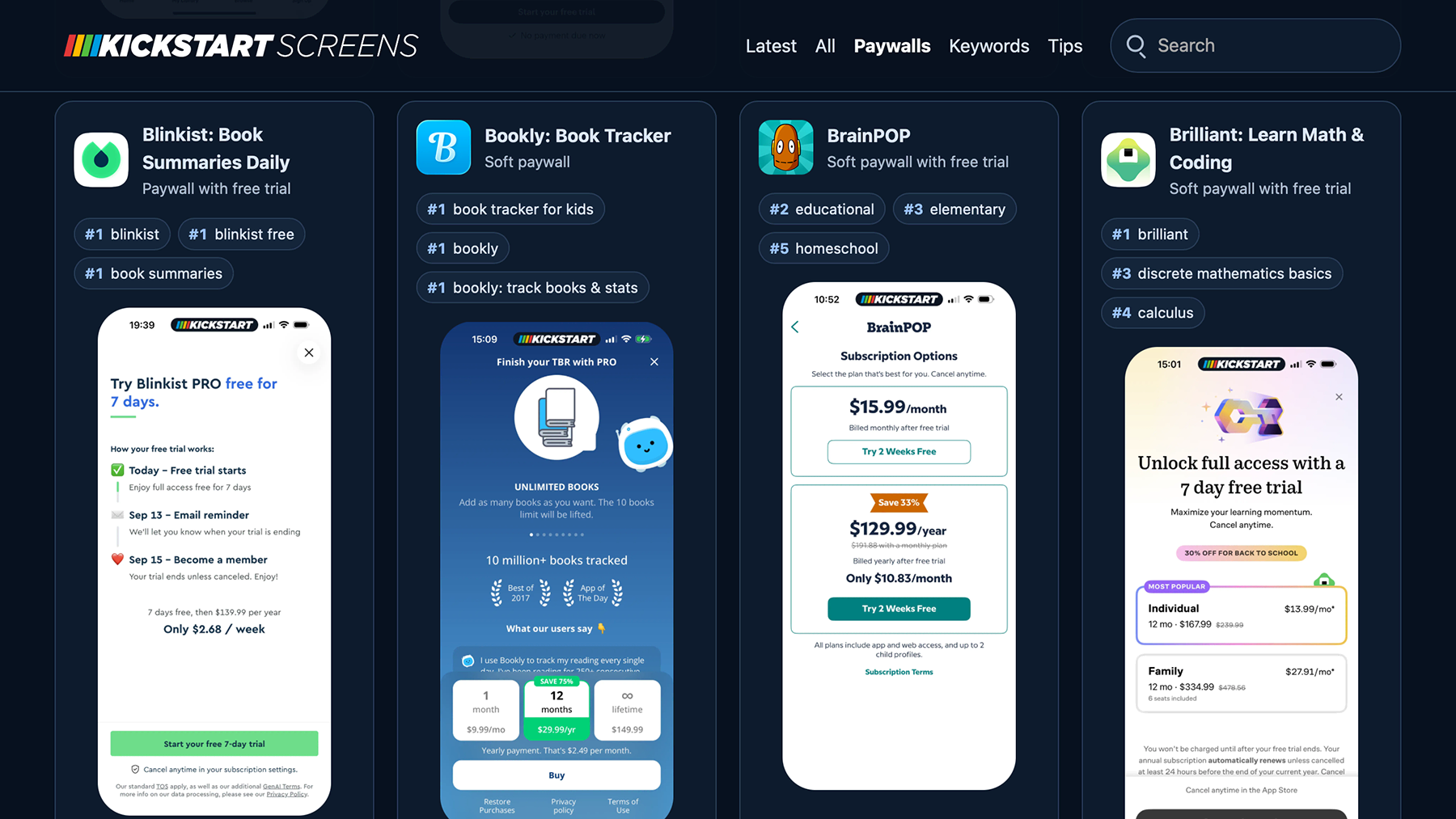
Another major new feature is Kickstart Screens: a library of app reviews that pick out key details from the best-selling apps across the store.
Each app comes with detailed screenshots of its onboarding, paywalls, and key features, carefully analyzed to pick out ideas you can bring to your own apps.
Even better, this ties directly into keyword tracking, so you can see where each app ranks for the keywords you care about – there’s never been a faster way to analyze your competition.
Kickstart Screens launches today as part of your existing Kickstart Pro subscription. It has over 100 apps already, with more being added weekly!
Everything AI gets an upgrade
Kickstart’s private AI analysis gets a major upgrade too, right across the app.
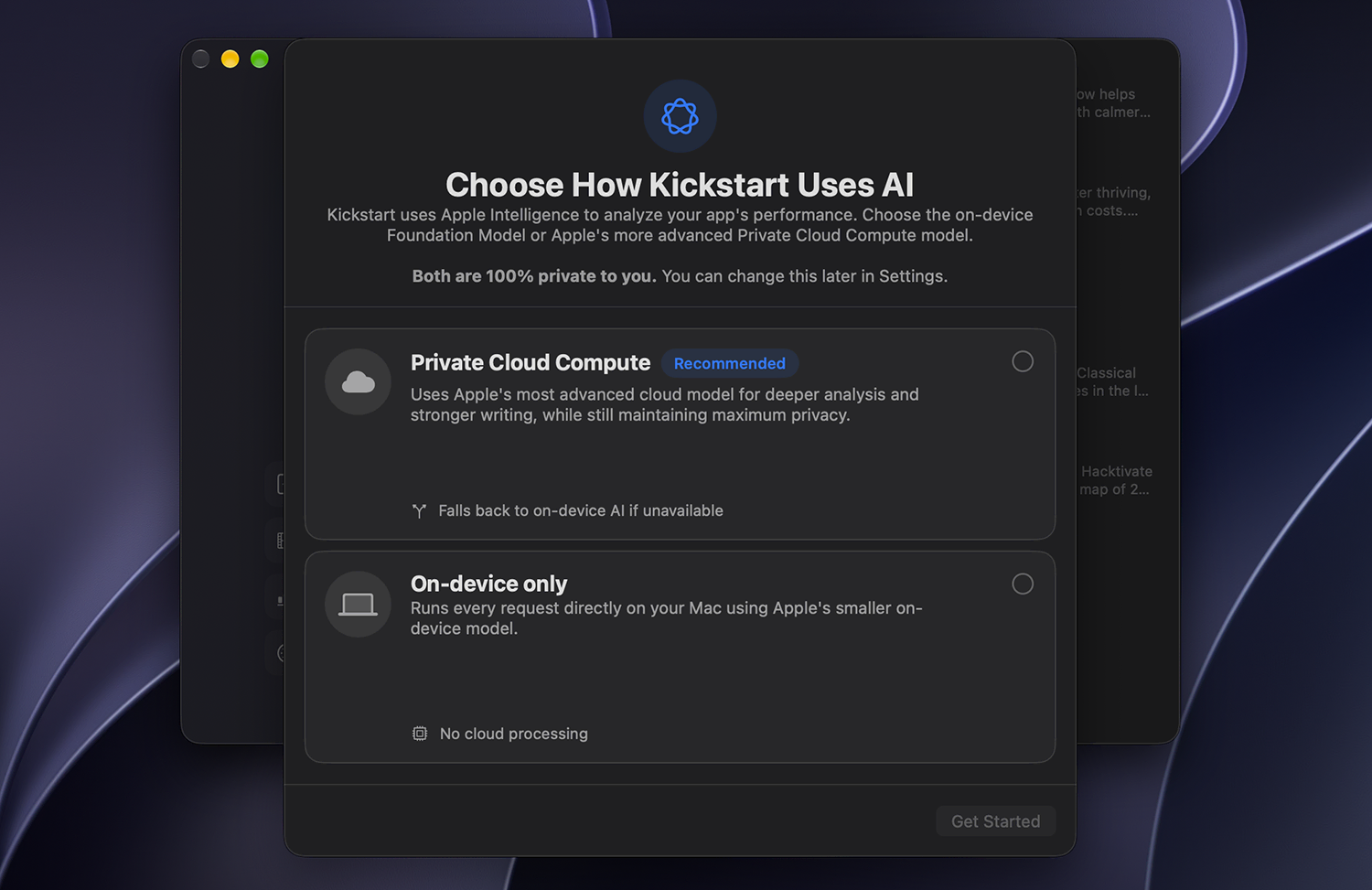
First, users on macOS Golden Gate can opt into Private Cloud Compute for all AI analysis. It’s faster and more powerful than the on-device model, while keeping your data private.
This support is woven through every AI-enabled feature: from smart recommendations for Apple Ads campaigns to chatting about custom product pages, it all gets better with Private Cloud Compute enabled.
Second, even without Private Cloud Compute, macOS users get better on-device AI. Golden Gate’s improved model gives more detailed answers, while anyone running macOS 26.3 or later automatically gets a larger context window, meaning that Kickstart uses more of your app’s data to provide sharper insights.
You’ll choose between Private Cloud Compute and the on-device model the first time you run the app under Golden Gate, and you can change your mind in Settings whenever you want.
Optimize your income too
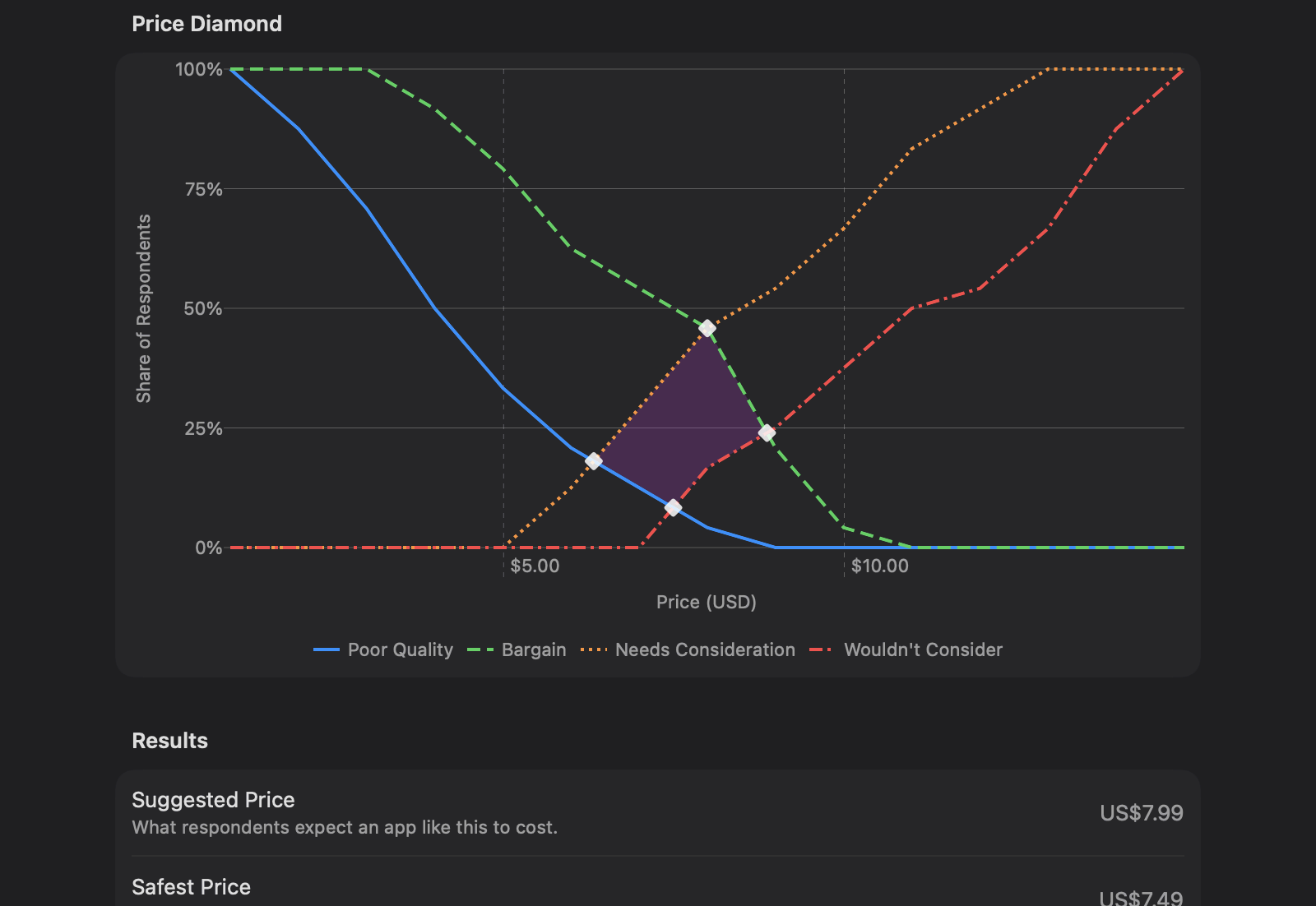
Kickstart 2.0 adds two important new features to help you grow your App Store income: a Van Westendorp price survey analyzer, plus Big Picture mode.
The Van Westendorp price survey helps you work out what to charge for your app or in-app purchases. Ask as few as three people just four questions, and Kickstart gives you a smart starting point for your pricing strategy: a clear chart showing the ideal range, plus one clear suggestion to get you moving.
As for Big Picture mode, it brings your whole app portfolio’s key performance indicators together: which apps produce the most income, what reviews are coming in, and how your overall App Store presence is doing, all in one place.
And there’s more…
Kickstart Overdrive now supports Xcode 27’s Device Hub and the iPhone 18 Pro simulator, with support for iPhone Duo to come as soon as the SDK ships.
You can also quickly export all your tracked keywords and their results to a CSV, ready to feed to an AI agent of your choosing.
There are even more features in the release, including editing your app’s store listing and keywords right through Kickstart with live App Store Optimization feedback as you work. Find your next great keyword, then put it straight to work!
Get the best tool for App Store Optimization with Kickstart.